
Letters, paragraphs, tables. It looks like text.
Your PDF reader can display a page perfectly even when the page is only a picture. A scanned contract, receipt, form or old book can look completely normal because your eyes can read the pixels.
The surprise comes when you drag the mouse across a sentence and nothing highlights. Copy does nothing. Search returns zero results. The document is readable to you, but there may be no text layer for the software to select.
One image per page — with no selectable characters underneath.
When paper is scanned to PDF, the default result is often image data. OCR is the step that tries to recognize the characters in those images and add searchable text.
Adobe describes this distinction directly: a scanned PDF can contain only image data until OCR creates a searchable text layer.
Find out what kind of PDF you have before trying to “fix” it.
Try selecting one word
Drag across a short word. If the cursor never creates a text highlight, the page may be image-only. Be careful: some protected PDFs also block selection, so this test is a clue, not a final diagnosis.
Use search for an obvious phrase
Pick a word you can clearly see several times. If search finds nothing, there may be no recognized text layer—or the OCR layer may be poor.
Zoom in farther than normal
If the letters begin to look like photograph pixels rather than clean text shapes, you are probably looking at a scanned page image.
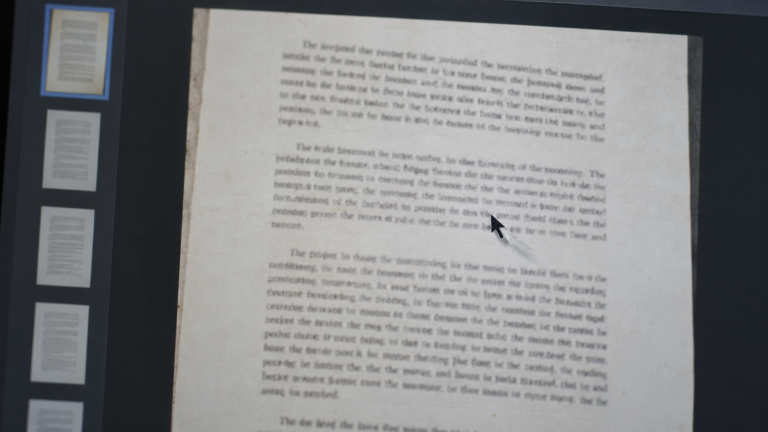
A page can look identical before and after OCR. The difference is whether software can search and select recognized text.
OCR does not “turn the scan into Word.” It adds recognition to the PDF.
Read the page image
The OCR engine analyzes shapes that look like letters, numbers and punctuation.
Guess the characters
Language, scan quality, rotation and contrast all affect recognition.
Add searchable text
The page can keep its scanned appearance while gaining a text layer for search and selection.
Review the result
Names, dates, totals and similar-looking characters still need human checking.
Not every non-selectable PDF is a scan.
Password permissions can restrict copying. Some PDFs flatten content during export. Fonts can be outlined into vector shapes. A document may also contain a broken or incomplete OCR layer.
That is why the safest workflow is to diagnose first instead of repeatedly converting the file.
Make a scanned PDF searchable.
PDFNexa’s OCR workspace runs in your browser. Use it on a copy, then verify the recognized text before you rely on search or copy-and-paste.